DD Campaigns
Structured five-stage pipeline for evaluating wind asset acquisitions.
Campaign Overview
Due Diligence (DD) Campaigns are the core evaluation tool for wind asset acquisitions. Each campaign represents a structured assessment of a potential acquisition target.
The campaigns list shows all active and completed evaluations:
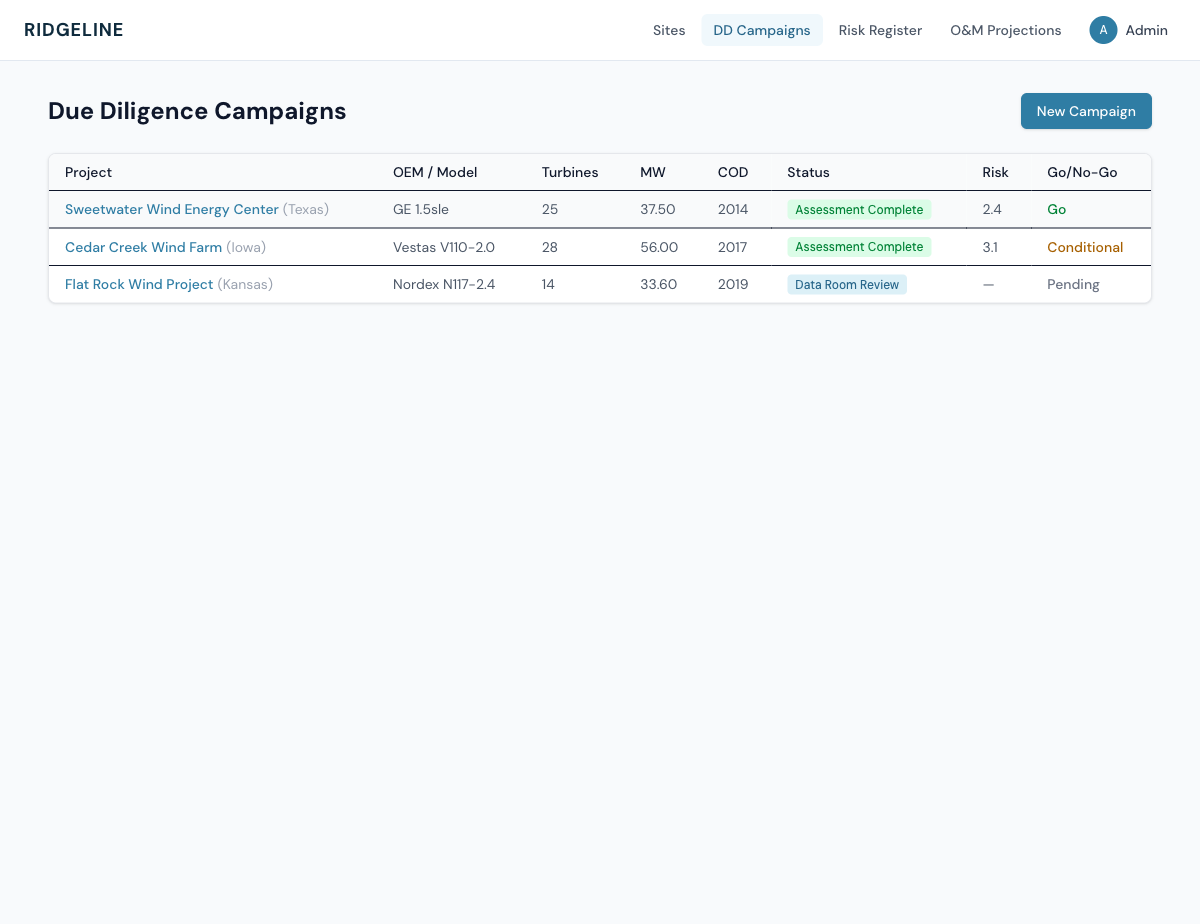
DD Campaigns list showing campaigns at various pipeline stages.
| Column | Description |
|---|---|
| Project | Project name with state abbreviation |
| OEM / Model | Turbine manufacturer and model |
| Turbines | Number of turbines in the project |
| MW | Total project capacity |
| COD | Commercial Operation Date year |
| Status | Current pipeline stage |
| Risk | Overall risk score (1–5) |
| Go/No-Go | Acquisition recommendation |
Creating a Campaign
To start a new due diligence evaluation:
- Click New Campaign from the campaigns list.
- Select a Turbine Type Template from the dropdown. This pre-fills component assessments with fleet-average baseline data for the selected turbine model. Ridgeline includes ~30 pre-loaded templates covering GE, Vestas, Siemens Gamesa, Nordex, Enercon, and Suzlon turbines.
- Enter the Project Name (required), state, capacity, turbine count, COD year, OEM, and model.
- Optionally add the evaluator name and deal context notes.
- Click Create Campaign.
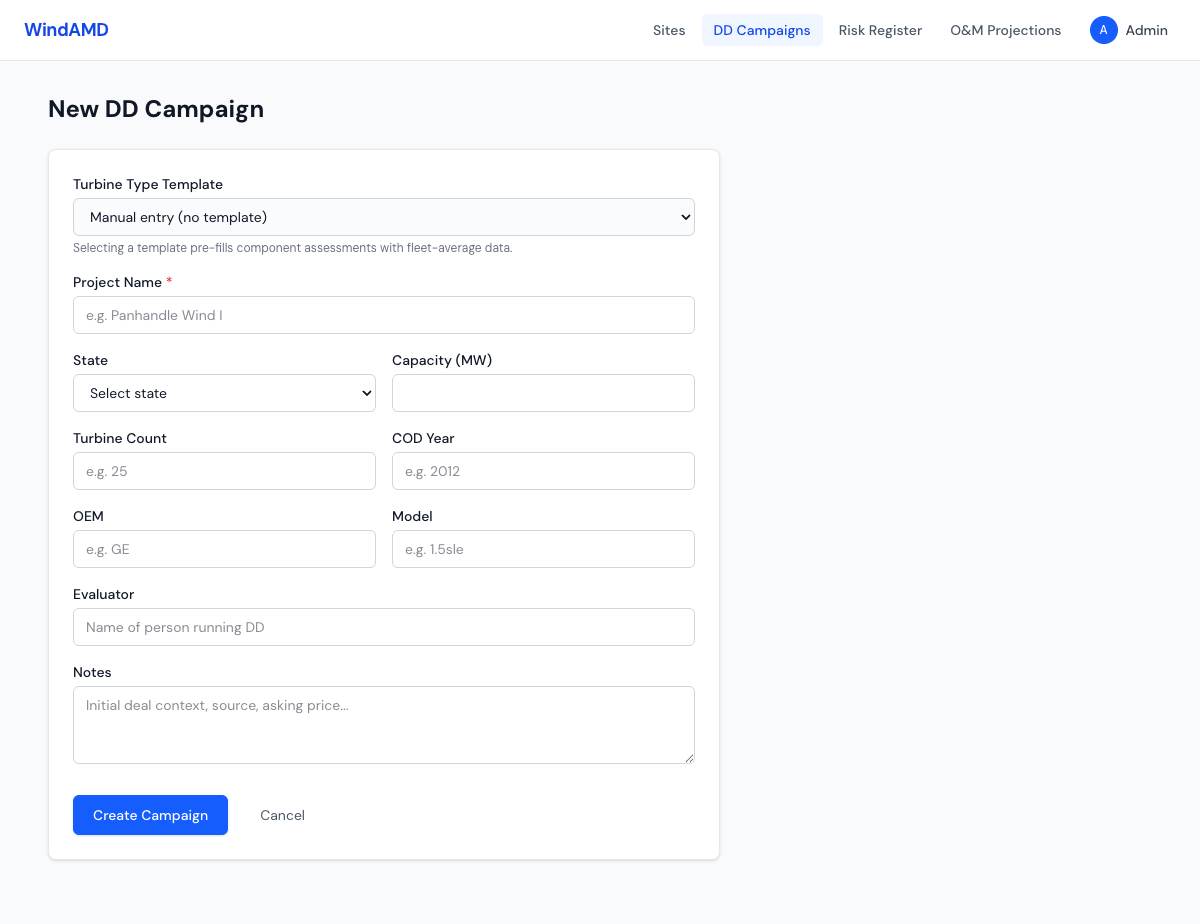
New campaign form with turbine type template selector.
Tip: Use templates — Selecting a turbine type template auto-generates component assessments for all 8 major component types (gearbox, generator, main bearing, blades 1-3, yaw system, pitch system) with industry-standard baseline life and replacement cost data. This saves significant data entry time.
Campaign Pipeline
Every DD campaign follows a five-stage pipeline, visualized as a stepper at the top of the campaign detail page:
Template Generated → Data Room Review → Site Visit → Assessment Complete → Closed
| Stage | Description |
|---|---|
template_generated | Campaign created. Component baselines loaded from template. Ready for data room documents. |
data_room_review | Reviewing seller-provided documents: maintenance records, SCADA data, contracts, IE reports. |
site_visit | Physical inspection underway. Visual assessment of turbines, BOP, substation. |
assessment_complete | All component assessments scored. Risk analysis, capex reserve, and Go/No-Go recommendation ready. |
closed | Campaign concluded. Either Closed — Acquired (proceed to promotion) or Closed — Passed (deal declined). |
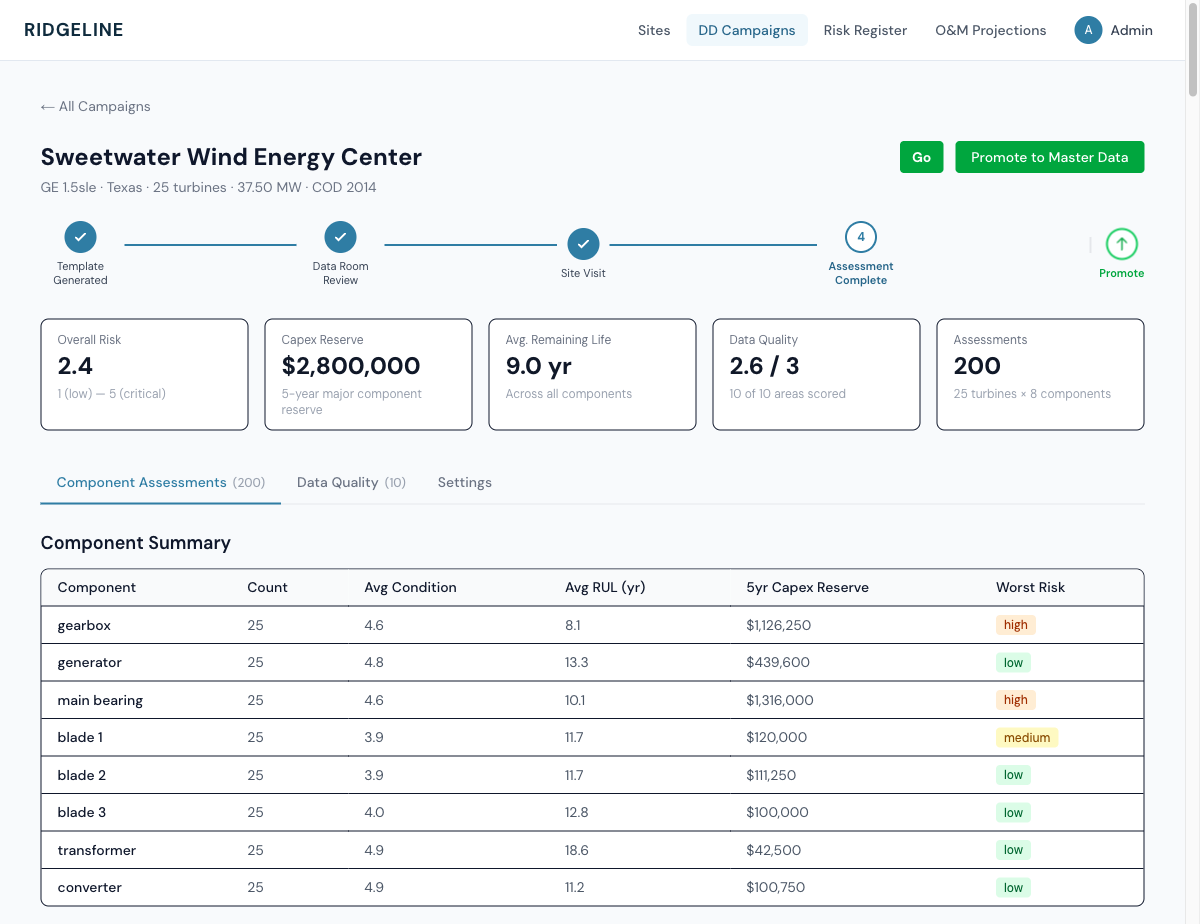
Campaign detail page showing the pipeline stepper, summary cards, and component assessment summary.
Component Assessments
The Component Assessments tab is the heart of the DD evaluation. For each turbine in the project, Ridgeline tracks assessments for 8 major component types:
| Component | What is assessed |
|---|---|
| Gearbox | Oil analysis, vibration trends, bearing condition, gear wear |
| Generator | Winding resistance, bearing temps, insulation condition |
| Main Bearing | Grease analysis, temperature trends, vibration |
| Blades (1, 2, 3) | Leading edge erosion, lightning damage, structural cracks |
| Yaw System | Yaw motor condition, bearing wear, brake pad life |
| Pitch System | Pitch motor/cylinder condition, battery health, bearing wear |
Each assessment captures:
- Condition Score (1–5): 1 = excellent, 5 = critical
- Condition Method: visual, borescope, oil analysis, vibration, data review, or template default
- Age and Baseline Life in years
- Estimated RUL (Remaining Useful Life) with confidence level
- Estimated Replacement Cost
- 5-Year Replacement Probability
- Risk Rating: low, medium, high, or critical
- Recommended Action: monitor, inspect, plan replacement, or immediate replacement
The Component Summary table at the top of the assessments tab provides an aggregated view across all turbines: average condition, average RUL, total 5-year capex reserve, and worst risk rating per component type.
Data Quality Scorecard
The Data Quality tab implements a 10-area assessment scorecard, each scored 1–3:
| Area | What it measures |
|---|---|
| Data Completeness | Percentage of expected data records available |
| Signal Coverage | Key SCADA signals present and recording |
| Timestamp Quality | Consistent intervals, no gaps, correct timezone |
| Value Range Validation | Sensor readings within physical limits |
| Operating State Coverage | All turbine states properly coded |
| Power Curve Quality | Measured power curve matches expected profile |
| CMS Availability | Condition monitoring system uptime and data quality |
| CMMS Structure | Maintenance records organized and complete |
| Network Connectivity | Reliable data transfer from site to central |
| Cybersecurity Posture | Network segmentation, access controls, patch status |
Go / No-Go Decisions
Based on the component assessments, risk analysis, and data quality review, each campaign reaches one of three acquisition recommendations:
| Decision | Meaning |
|---|---|
| Go | Proceed with acquisition. Risk profile acceptable. |
| Conditional Go | Proceed with conditions (e.g., price adjustment, warranty requirements, specific inspections). |
| No Go | Do not acquire. Risk profile unacceptable or deal economics unfavorable. |
Promoting to Master Data
When a campaign reaches Closed — Acquired status, the Promote to Master Data button becomes available. Promotion transfers DD findings into the operational system:
- Click Promote to Master Data on the campaign detail page.
- Review the promotion checklist. This validates that assessments are complete and data is ready for transfer.
- Confirm the promotion. The system will create entries in the Risk Register for every component assessment with a risk rating of medium or higher, and link risk entries back to the source DD campaign for traceability.
Promotion is a one-way operation — Once promoted, DD findings become part of the site’s operational risk baseline. The original campaign record is preserved for audit purposes.